Audience
- New users in onboarding
- Workspace owners/admins completing first activation
Prerequisites
- You can access
https://platform.voqo.ai. - You can create an account or sign in.
- You have access to a mobile device/number for call-forwarding setup.
- You can receive a test call (from another number/contact).
Role and plan requirements
- Minimum role: Workspace admin or owner for first-time workspace setup.
- Plan notes:
- Core onboarding and first call should work on supported entry plans.
- Some advanced features (workflows/automation) are plan-gated and not required for this quick start.
Steps
1) Create account and complete invitation (if joining a team)
- Go to platform.voqo.ai.
- Choose Sign up for a new workspace, or use your invitation link if joining an existing team.
- Complete verification and sign in.
- You are routed into the onboarding flow or your workspace dashboard.
2) Complete onboarding flow
- Open
https://platform.voqo.ai/onboarding. - Complete questionnaire and agent setup prompts.
- Complete payment/setup step if prompted.
- Continue until onboarding confirms completion.
- You can access the protected app routes and see your configured agent context.
3) Connect your agent to your phone
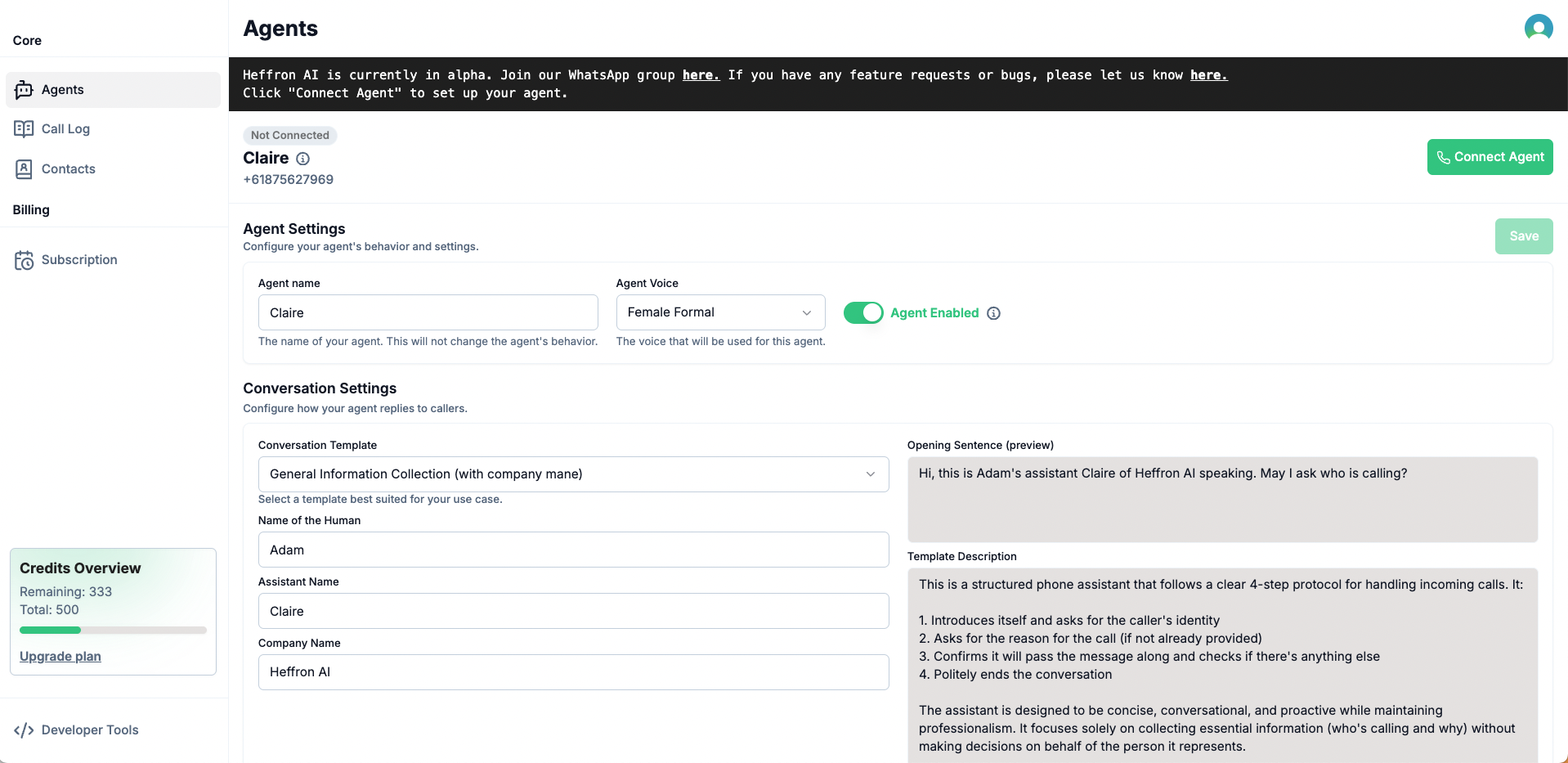
- Open your agent setup path and select Connect Agent.
- Follow your region/device instructions:
- iPhone: disable Live Voicemail before setup.
- Dual-SIM devices: use the intended SIM for forwarding setup.
- Confirm forwarding setup from your device with active network signal.
- Setup confirmation appears and your agent is ready for call handling.
4) Run first successful call validation
- Ask a colleague/friend to call your configured number.
- Do not answer the call.
- Wait for post-call processing, then check call logs and notifications.
- A completed call appears in logs with summary (and transcript/recording when enabled).
Expected result
After completing this page, a first-time user should be able to:- Set up account/workspace access.
- Complete onboarding steps end-to-end.
- Verify first successful AI-handled call without external help.
Troubleshooting
Onboarding page does not complete
- Refresh the onboarding page and retry the current step.
- Confirm you are in the correct workspace and signed-in account.
- If payment/setup step fails, retry after confirming billing details.
Agent did not handle test call
- Re-check forwarding setup on your phone/device.
- Re-run region-specific instructions from the connect-agent guides.
- Ensure your agent is enabled in agent settings.
Call happened but no log or transcript appears
- Allow a short processing delay, then refresh call logs.
- Confirm call status moved to completed.
- Verify recording/transcript settings are enabled as expected.
Related docs
- Set Up Agent and Verify First Call
- Manual Setup and Carrier Fallback
- Connect Agent to Your Phone
- Review Call Logs